



Status bar
The numbers that matter, under the input line
The status bar shows how full the context window is and where compaction starts, the agent’s time, the cost so far and the model. With a Claude login it also shows your weekly usage.

 Install 0.8.0
Umbra 0.8.0 by Black Rainbow Labs. Free and open source.
Each change to Umbra’s prompt and loop is run against 61 graded coding tasks, and a change that doesn’t help is taken out. Umbra 0.8.0 passed 91.3% of 183 runs. It reads the instruction files, skills and MCP servers you already have, and works with Claude, GPT or a model on your own machine.
curl -fsSL https://raw.githubusercontent.com/Black-Rainbow-Labs/umbra/main/install.sh | shpowershell -ExecutionPolicy ByPass -c "irm https://raw.githubusercontent.com/Black-Rainbow-Labs/umbra/main/install.ps1 | iex"
Umbra 0.8.0, 61 graded tasks in 9 categories, 3 runs each, 14 November 2026. Method and every result
61tasks
in 9 categories, each with a hidden check
91.3%
of 183 runs passed
95.8%
of prompt tokens served from the cache
382ms
to the first word of a reply
3.9MB
the Windows download, one program, nothing else to install
Evals
A coding agent is a prompt, a loop and some defaults, and a small change to any of them can make it worse without anyone noticing. We keep 61 graded coding tasks and run Umbra against them for each of those changes. A change stays only when the numbers improve.
61 tasks in 9 categories: bug fixes, new files, precise edits, finding code, following instructions, large output, sessions, tasks that fill the context window, and a hard set. Each task has a hidden check.
About 30 things for each run: whether it passed, time, tokens, cache use, requests, and what happens when a session is resumed or compacted.
The ledger in the repository lists every experiment, its result, and whether it was kept or taken out. Saving long command output to a file raised the prompt tokens for each passed task by 32%, so it was taken out. Read the ledger
Hard set20
Context fills9
Sessions7
Bug fixes6
Precise edits5
Finding code4
New files4
Large output3
Instructions3
Each square is one run of Umbra 0.8.0 in run final-8df86c3. Tap, hover or focus a square for the task.
| Runs passed | 91.3% |
|---|---|
| Mean score of the hidden checks | 98.7% |
| Time for each task | 69.4 s |
| Time to the first reply text | 382 ms |
| Prompt tokens served from the cache | 95.8% |
| New prompt tokens for each passed task | 14,694 |
| Long session runs passed | 92.6% |
| Start time when resuming a long session | 36 ms |
| Category | Tasks | Passed |
|---|---|---|
| Hard set | 20 | 78.3% |
| Context fills | 9 | 92.6% |
| Sessions | 7 | 100% |
| Bug fixes | 6 | 100% |
| Precise edits | 5 | 93.3% |
| Finding code | 4 | 100% |
| New files | 4 | 100% |
| Large output | 3 | 100% |
| Instructions | 3 | 100% |
The 0.5.2 and 0.6.2 baselines ran 33 tasks once, so they aren’t shown next to this result.
We run the evals on a 27B model on one PC. A smaller model makes more mistakes, so a weak prompt or a wasteful loop shows up in the pass rate straight away, and we can run every task three times at no cost.
We expect what the harness gains there to carry forward to frontier models, because the gains come from sending less, caching more and handling long sessions better. We haven’t measured that yet.
The model: ninfer-qwen3.8-27b-coletti-v9, served on one RTX 5090 with 32 GB of memory.
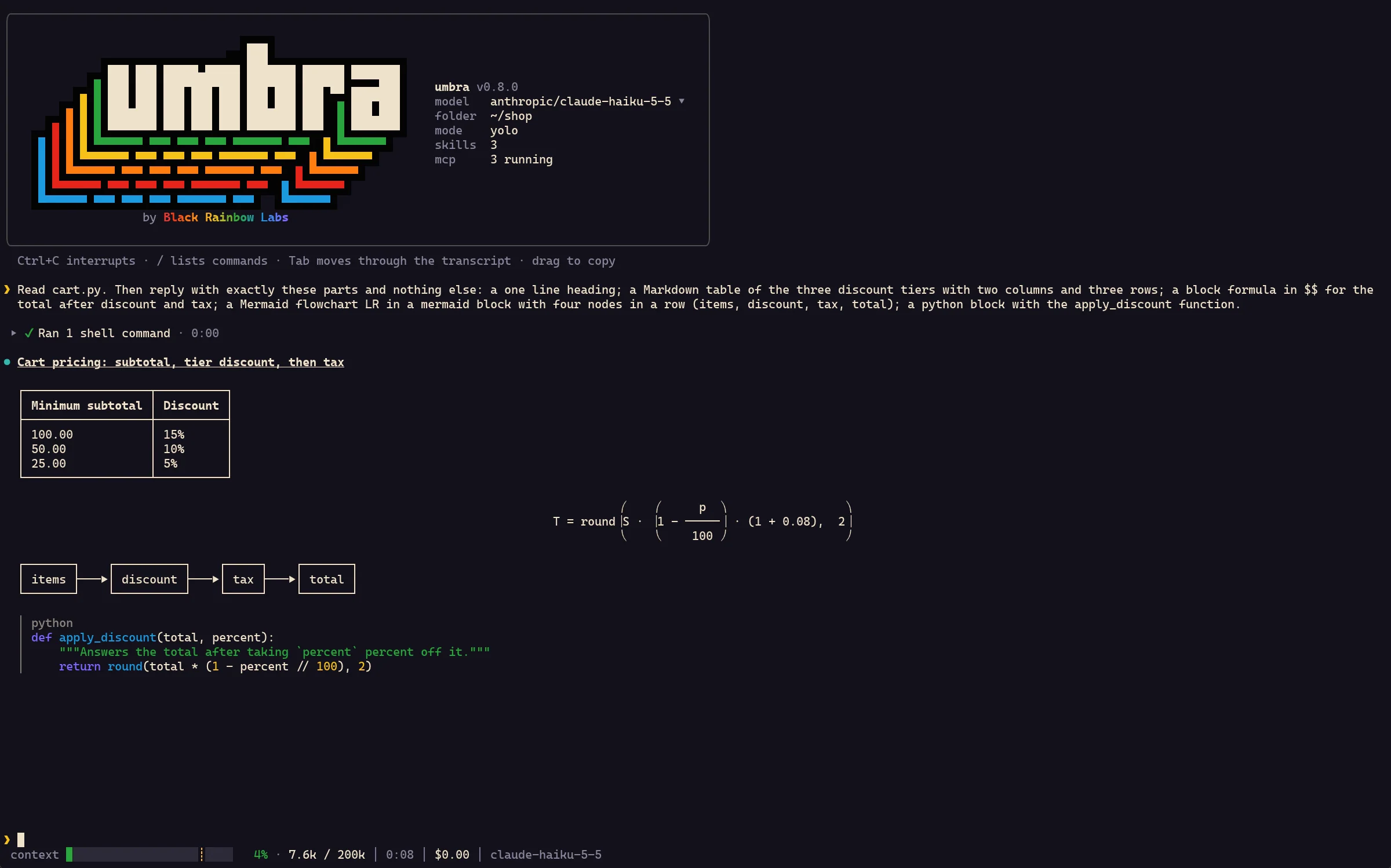
This is one real frame of Umbra 0.8.0. Scroll to turn it around and take it apart, then each part is explained below.
The fullscreen view
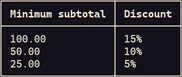
A model’s reply is Markdown, and most terminals show it as raw text. Umbra draws the tables, colors the code, lays out the math and turns a Mermaid block into a diagram. Commands the agent ran fold into one line you can open.
Inline and block LaTeX, drawn with Unicode: fractions, roots, sums and matrices.
Mermaid flowcharts, sequence diagrams and pie charts, drawn with box characters.
Syntax colors for about 25 languages, and colored diffs.
Several commands fold into one row with the time and the result. Open it to read the output.

Long sessions
A long task fills the context window, and an agent that handles that badly forgets what it was doing. Umbra replaces old command output with a short note near 80% of the window, and summarizes if that isn’t enough. On the eval tasks built to fill the window, 92.6% of runs passed.
The context bar in the status bar fills from green to yellow toward the compaction mark.
74.2% of prompt tokens come from the cache right after a compaction.
/compact with a focus summarizes the session before the next step.

Your setup
Umbra reads the instruction files you already wrote: CLAUDE.md, AGENTS.md, GEMINI.md, Cursor rules and the rest. It lists your skills, offers your slash commands and starts the MCP servers in your config files. You don’t copy or convert anything.
umbra instructions, umbra skills, umbra commands and umbra mcp --connect list everything before you run a task.
Only each skill’s name, description and path go into the prompt. The model reads the SKILL.md when a task needs it.
With 229 tools set up, a “Hello” takes 85% fewer input tokens, because tool definitions load when the model asks for them.

Control
An agent that runs commands on your machine should show them first. Umbra waits at each command until you press Enter or type why it shouldn’t run. Ctrl+C stops a command or a model call, and a line you type while it works reaches the model before its next step.
Confirm asks before each command, yolo runs them, and in human mode you type the commands yourself.
Type anything at the prompt and the command doesn’t run. The model is told what you typed and tries again.
--docker <image> runs every command in a new container, the place for yolo mode on code you don’t trust.

Any model
One flag changes the model, and the model picker changes it during a session. A local model on llama.cpp or Ollama needs no key, and the status bar shows its cost as free. A model with no tool calling works with --text.
Our eval runs ninfer-qwen3.8-27b-coletti-v9, a 27B model, on one RTX 5090 with 32 GB of memory. Umbra talks to it like any other server with an OpenAI API.
The largest hosted models are stronger than a 27B model on hard tasks. Umbra runs those too, with one flag.
| Provider | Example |
|---|---|
anthropicThe Anthropic API, with an API key or your Claude login | anthropic/claude-haiku-5-5 |
localllama.cpp’s llama-server on localhost:8080, no key | local/qwen |
ollamaOllama on localhost:11434, no key | ollama/llama3 |
openaiOpenAI, with OPENAI_API_KEY | openai/gpt-5 |
openrouterOpenRouter, with OPENROUTER_API_KEY | openrouter/anthropic/claude-sonnet-5-5 |
Any other OpenAI compatible server, such as vLLM, is one entry in the config.

Sessions
Umbra saves the session after every step, so a run that was interrupted or crashed can be continued. Resuming a long session takes 36 ms. You can fork a session, or branch it from an earlier message.
umbra sessions lists this folder’s sessions, newest first, and umbra resume opens a picker.
--resume <id> --at <n> --fork continues a copy that keeps only the first n messages.
A session started in Zed or Unluminous can be continued in the terminal, and the other way round.

Details
Status bar
The status bar shows how full the context window is and where compaction starts, the agent’s time, the cost so far and the model. With a Claude login it also shows your weekly usage.
MCP panel
/mcp opens a panel of the MCP servers Umbra found, with their tools. Turn a server off or on for this session or for every session. Tool definitions load when the model asks, so a large setup costs little.

Updates
Umbra checks for a new release once a day. In the fullscreen view it offers to install it, checks the download against the release’s SHA256SUMS, and restarts into the same session.

In your editor
umbra acp speaks the Agent Client Protocol, so Zed, the JetBrains IDEs and Unluminous can run Umbra in their agent panel. The editor shows each command as a tool call and asks you before it runs.

Zedsettings.json
JetBrainsacp.json
Unluminousai-endpoints.conf
How it works
Umbra’s loop comes from mini-swe-agent: the model runs bash, sees what happened, and decides the next step. Umbra adds your setup, confirm mode, the fullscreen view, sessions and compaction.
Umbra builds a system prompt from your instruction files and the list of your skills, then adds your task.
The reply asks for bash commands as tool calls, or with --text, as fenced blocks for a model without tool calling.
The shell stays open between commands, so cd and export carry over. A command is stopped after 120 seconds unless the model asks for longer.
The output and exit code join the one list of messages. A reply with no command ends the turn, and your next message continues it.
Near 80% of the context window, old command output is replaced by a short note. If that isn’t enough, the model summarizes the middle of the session.
What it leaves out
Umbra has one tool, bash, and adds MCP tools beside it. These aren’t in this version. An MCP server can supply web search or a browser.
If you need one of these built in today, Umbra isn’t the right agent yet.
Questions
Our eval runs ninfer-qwen3.8-27b-coletti-v9, a 27B model, on one RTX 5090 with 32 GB of memory. We haven’t measured smaller cards. Umbra works with any llama.cpp, Ollama or OpenAI compatible server, so you choose the model that fits.
Your prompts and the files the model reads go to the model provider you choose, and stay on your machine with a local model. Umbra itself makes two requests: a daily release check to GitHub, off with UMBRA_UPDATE_CHECK=0, and with a Claude login, a weekly usage check to Anthropic.
Yes, on x86_64 and arm64. Umbra runs commands with Git Bash, so install Git for Windows first.
Yes. Umbra uses your Claude login when you’re signed in, or an ANTHROPIC_API_KEY. With the login, the status bar shows your weekly usage.
We expect them to, because the gains come from sending less, caching more and handling long sessions better, and none of that depends on the model. We haven’t measured it on a hosted model yet.
No. Umbra reads CLAUDE.md, AGENTS.md, GEMINI.md, Cursor and Windsurf rules, Copilot instructions and the rest where they already are, and lists them with umbra instructions.
Install
curl -fsSL https://raw.githubusercontent.com/Black-Rainbow-Labs/umbra/main/install.sh | shpowershell -ExecutionPolicy ByPass -c "irm https://raw.githubusercontent.com/Black-Rainbow-Labs/umbra/main/install.ps1 | iex"Paste these instructions into any coding agent that can run a command. It installs Umbra for your system, checks it, and saves the model.
The install scripts download the build for your machine from the latest GitHub release, check it against the release’s SHA256SUMS, and put it in your home folder, so neither needs administrator rights.
Umbra is free and open source. A star on GitHub helps other people find it.
Star on GitHub